 GroupAITools
How to use Semrush: a step-by-step beginner guide for Indian websites

Learning how to use Semrush is one of the fastest ways to get better at SEO, but the tool can feel overwhelming because it has so many reports. This guide shows you how to use Semrush in nine practical steps for an Indian website: choosing the India database, finding keywords, analysing competitors, auditing your site and tracking rankings. It follows the workflow most freelancers use and points to the official Semrush Academy and Semrush Knowledge Base for deeper detail.
You can follow along with any Semrush plan, including the free account or our Semrush group buy at ₹199/month. We sell shared Semrush access, and we note where a project needs your own account.
Short answer: how to use Semrush in one line: set the database to India, study three competitors in Domain Overview and Organic Research, build a keyword list in Keyword Magic Tool, find gaps with Keyword Gap, then fix your site with Site Audit and track progress in Position Tracking. Official Semrush plans start at $139 a month (about ₹13,191); shared Semrush on GroupAI Tools is ₹199/month.
Before you start: what you need
- A Semrush account: the free account for learning, a paid plan, or shared access.
- Your website, and the three competitors that rank for your main topics in Google India.
- A spreadsheet to save keywords and tasks.
- Free Google Search Console access for your own site, to compare Semrush estimates with real data.
Semrush plan prices and what each includes are in our Semrush price in India guide. If you are still choosing a tool, read Ahrefs vs Semrush.
Step 1: set the India database
The first rule of how to use Semrush for an Indian site is to switch the database to India. Most reports have a database selector near the top, often set to the US by default. Choose India (IN) so search volumes, keyword difficulty and rankings reflect Google India. If you target a city, you can set a more specific location in Position Tracking later.
Forgetting this step is the most common beginner mistake. A keyword with high US volume may have little Indian demand, and vice versa.

Step 2: analyse a competitor with Domain Overview
Enter a competitor’s domain in Domain Overview. You get a snapshot of estimated organic traffic, top keywords, top pages, backlinks and main competitors. Look at three things:
- Which pages bring them the most traffic.
- Which topics they rank for that you do not cover.
- Who their own top organic competitors are, because those sites are likely your competitors too.
Repeat this for three competitors and note the patterns. This is the foundation of how to use Semrush for strategy, not just research.
Step 3: dig into Organic Research
Organic Research shows every keyword a domain ranks for in the chosen database, with position, volume, keyword difficulty, intent and the ranking URL. Filter by position 1–20 to see what is already working for them, and by keyword difficulty to find easier wins.
Export the list or copy the best keywords into your spreadsheet. Pay attention to the “Pages” tab, which groups keywords by URL, so you can see which single articles drive the most traffic.
Step 4: build a keyword list in Keyword Magic Tool
Keyword Magic Tool is where most people learn how to use Semrush properly. Enter a seed keyword, such as “group buy seo tools” or “best laptop under 50000”, and Semrush returns thousands of related keywords grouped by topic.
- Use the “Questions” filter to find what people ask, ideal for FAQ sections and blog posts.
- Filter by keyword difficulty (KD%) to find low-competition terms; new sites should start with low KD.
- Filter by intent: informational for guides, commercial for comparisons, transactional for product pages.
- Use the topic groups on the left to plan clusters of related articles.
Add the best keywords to a keyword list so you can revisit them later.
Step 5: check difficulty and intent in Keyword Overview
For each important keyword, open Keyword Overview. It shows volume, keyword difficulty, intent, cost per click, keyword variations and the current top results. Look at who ranks: if the top ten are all large brands, a new site will struggle; if you see forums, small blogs or thin pages, you have a chance.
This step stops you writing articles you cannot rank for. It is a small habit that makes a big difference when you are learning how to use Semrush efficiently.
Step 6: find content gaps with Keyword Gap
Keyword Gap compares your domain with up to four competitors. The “Missing” tab shows keywords all competitors rank for but you do not, and “Weak” shows keywords where you rank lower than everyone else. These are often the highest-value topics to write next.
Sort the missing list by volume and difficulty, and pick five to ten keywords you can realistically target this month.
Step 7: audit your site with Site Audit
Create a project for your website and run Site Audit. Semrush crawls your pages and reports errors, warnings and notices, such as broken links, missing titles, duplicate content, slow pages and crawlability issues, along with a Site Health score.
- Fix errors first, then warnings.
- Re-run the audit after fixes to confirm they worked.
- Schedule weekly audits so new problems are caught early.
Projects are tied to an account, so on shared access your project may not be private or persistent. For ongoing client audits, use your own Semrush account.
Step 8: track rankings with Position Tracking
Position Tracking monitors where your site ranks for a list of keywords, by device and location. For an Indian business, set the location to India or to your city, add your target keywords, and include a few competitors.
Check it weekly rather than daily; rankings move up and down naturally. Over a few months, the trend tells you whether your content and fixes are working.
Step 9: check backlinks and plan outreach
Backlink Analytics shows who links to a domain, and Backlink Gap shows sites that link to your competitors but not to you. Those sites are your best outreach prospects. Look for Indian blogs, directories and news sites in your niche, and pitch them something genuinely useful, such as data, a guide or a tool.
If backlinks are your main focus, compare with Ahrefs (₹999/month), which many SEOs prefer for link research.
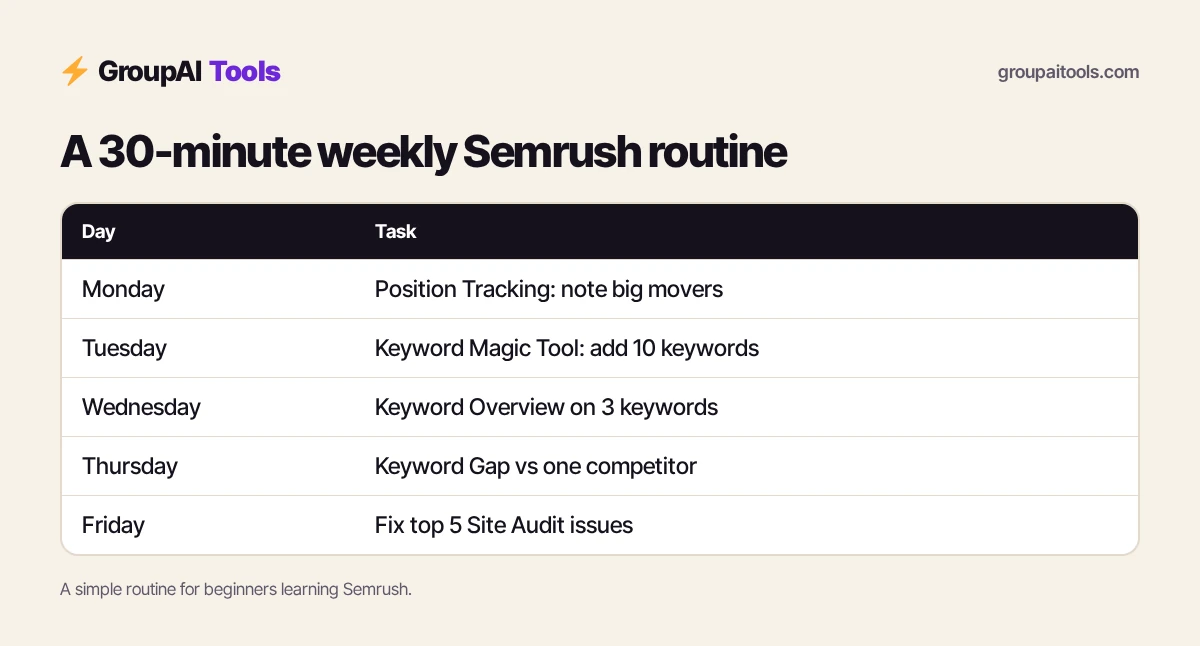
How to use Semrush every week: a beginner routine
| Day | Task (about 30 minutes) |
|---|---|
| Monday | Check Position Tracking and note big movers |
| Tuesday | Keyword Magic Tool: add 10 new keywords to your list |
| Wednesday | Keyword Overview on 3 keywords before writing |
| Thursday | Keyword Gap against one competitor |
| Friday | Fix the top 5 Site Audit issues |
A short routine like this is how to use Semrush consistently without spending hours in it every day.
How to use Semrush for a new blog: a 30-day plan
- Week 1: pick three competitors and export their top pages and keywords from Organic Research.
- Week 2: build a 40-keyword list in Keyword Magic Tool, focused on low KD and clear intent.
- Week 3: write your first five articles, checking each keyword in Keyword Overview first.
- Week 4: run Site Audit, fix errors, and set up Position Tracking for your 40 keywords.
By the end of the month you have a content plan for the next quarter and a baseline to measure progress. That is how to use Semrush to get results quickly, even with a single month of access.
How to use Semrush with Google Search Console
Semrush estimates data for any website; Google Search Console shows real data for your own. Use them together. Search Console tells you which queries already bring impressions but few clicks, often keywords where you rank on page two. Check those keywords in Semrush to see who ranks above you and what their pages cover, then improve your page.
Semrush can also connect to Google Search Console and Google Analytics in some tools, which helps match its reports with your real data. Connect only accounts you own.
How to use Semrush for local businesses in India
For a clinic, coaching centre, salon or restaurant, set Position Tracking to your city, research keywords such as “dentist near me” variants and “best coaching in [city]”, and check which local competitors rank in the map pack and organic results. Semrush also has local SEO tools for managing listings, which agencies with many locations find useful.
Pair this with a complete Google Business Profile and genuine reviews. Learning how to use Semrush for local SEO is less about volume and more about finding the exact phrases customers in your area use.
Common mistakes when learning how to use Semrush
- Leaving the database on the US for an Indian site.
- Chasing high-volume keywords with very high difficulty on a new site.
- Treating traffic estimates as exact numbers. Compare with Search Console.
- Running a Site Audit once and never again.
- Tracking hundreds of keywords before you have content for them.
Free ways to learn how to use Semrush
Semrush Academy offers free courses and certifications on SEO, content and Semrush itself, and the Semrush Knowledge Base explains every report. Watch the short tool tutorials first, then follow this guide on a real website. Practising on your own blog or a friend’s small business site teaches more than any course.
Which Semrush plan do you need to follow this guide?
You can learn the interface on a free account, but limits are tight. A paid plan gives full access to these reports; Semrush’s SEO plan was $139 a month (about ₹13,191) on 23 Oct 2026. Shared Semrush on GroupAI Tools at ₹199/month covers the research steps for learners and freelancers on a budget. Read Semrush group buy India for the limits.
Here is how buying works on GroupAI Tools. You pick Semrush or another tool on its page, pay in rupees with UPI (GPay, PhonePe, Paytm, BHIM), RuPay, cards or net banking, and the tool appears in your dashboard. You open it from Dashboard Login at app.groupaitools.com in a private, isolated browser session, so you never type or see a shared password.
Software that is sold as a licence rather than a web app is delivered as a licence key or an activation by email or WhatsApp instead. WhatsApp support runs from 9:00 AM to 11:30 PM IST, and every tool page shows the 48-hour refund guarantee.
Explore more SEO tools on our SEO tools hub, such as KWFinder (₹179/month) for long-tail ideas and Surfer SEO (₹299/month) for on-page optimisation, and read is group buy safe? before you pay any seller.
FAQs
How do I use Semrush for keyword research?
Set the database to India, enter a seed keyword in Keyword Magic Tool, filter by keyword difficulty, intent and questions, then check the best ideas in Keyword Overview before writing.
How to use Semrush for free?
Semrush offers a free account with limited daily reports. It is enough to learn the interface; for regular work you need a paid plan or shared access.
Which Semrush database should I use for India?
Choose the India (IN) database so search volumes, difficulty and rankings reflect Google India.
How do I check a competitor in Semrush?
Enter the competitor’s domain in Domain Overview, then open Organic Research to see the keywords and pages that bring them traffic.
How long does it take to learn how to use Semrush?
Most beginners learn the core reports in a week or two of regular practice. Semrush Academy’s free courses help.
Can I do a site audit in Semrush?
Yes. Create a project for your site and run Site Audit to find technical SEO errors, warnings and notices.
What is the cheapest way to use Semrush in India?
Shared Semrush on GroupAI Tools costs ₹199/month. Official plans start at $139 a month (about ₹13,191) on monthly billing.